

In today’s increasingly digital world, typing curriculum for your student isn’t optional because typing isn’t just a bonus skill—it’s one of the most important overlooked skills your child needs to thrive academically.
Years ago, cursive was often deemed the most important handwriting skill to learn. But today, one could argue the importance of typing instead.
Whether your child is in third grade, sixth grade, or even high school, great typing skills are essential for online testing, writing assignments, and navigating digital learning.
Years ago when my older kids were homeschooled in elementary and middle school, I knew that typing was an essential skills they would need to learn. At the time, I found a program offered on a CD and all of my older kids learned to type which has served them well in school and in their careers.
I remember taking typing when I was in 8th or 9th grade a long time ago. It was important then and it’s even more important now!
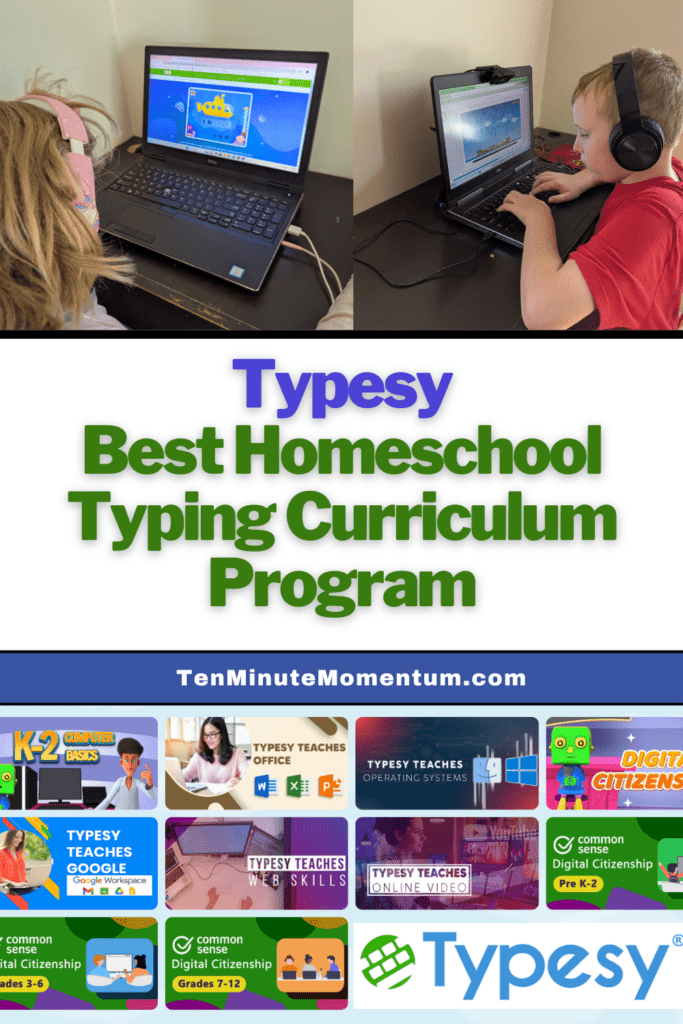
Fast forward to today, as I’m starting year 19 of homechooling and I was on the hunt for an online typing program that would support both of my kids—Bob (10) and Julia (7). I wanted something with interactive lessons, fun games, and lesson plans that adapt to their current skill level. I was so thrilled when I had the chance to try Typesy Homeschool.
** This is a sponsored post. I received this product or compensation for review purposes only and was compensated for my time. I was not asked nor required to share a positive review; all opinions are my own. READ DISCLAIMER HERE for more information.
Table of Contents
What Is Typesy Homeschool?
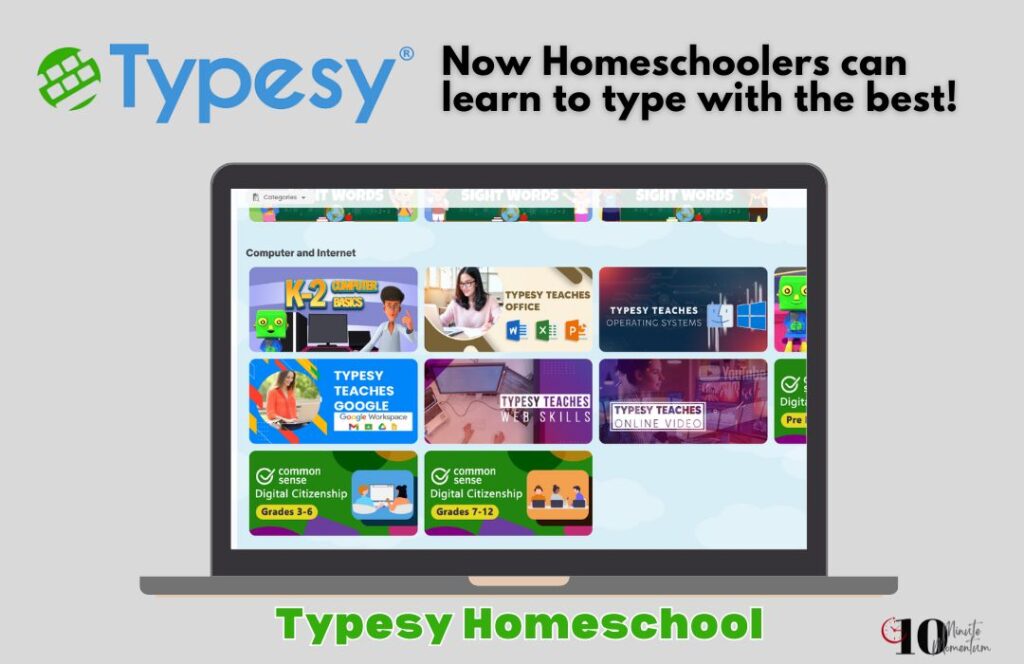
Typesy Homeschool is a powerful, web-based software that combines touch typing instruction with digital literacy, cyber safety, and even digital citizenship training. It’s designed specifically for homeschool families, including those in a homeschool co-op, and works for different age groups—from early learners to advanced teens. It is SO MUCH better than the old CD my kids used years ago!
With full access for multiple student accounts and a teacher account for parents, it’s easy to assign typing lessons, check detailed reporting, and let kids work at their own pace.
You can access Typesy from nearly any web browser—including Mozilla Firefox, Microsoft Edge, Apple Safari, or the recent version of Google Chrome. It also works on Chromebooks, tablets, and desktops, and only requires a stable internet connection.
This make it easy to access from anywhere…making it perfect for schooling at home or on the road if you travel.

How We Used Typesy It in Our Homeschool
Both Bob and Julia used Typesy about three days per week, and both started at the beginner level after taking the skills placement test. The platform’s practice exercises and game-based learning really helped Bob increase his typing speed and confidence. He began doing extra work just because he wanted to beat his personal best!
Julia, age 7, enjoyed the fun games but had a harder time reaching the keys and maintaining good habits. I don’t recommend starting young children unless they’re ready and interested. We also learned the hard way that starting two siblings—especially competitive ones—on the same track can lead to frustration.
What Makes Typesy Homeschool Stand Out
Let’s face it, when most of us look for a typing curriculum program, we aren’t sure what features we really want. After all, at the end of the day, we want our kids to be able to type, but don’t really care exactly how many bells and whistles the program has. However…all the fun extras do make it MUCH more engaging for students.
Here is what is special about Typesy:
- Interactive, fun lessons build muscle memory using videos, games, and real-time feedback.
- The courses are aligned to Common Core Standards, ISTE Standards, and other essential learning standards across the United States.
- The included courses cover more than just typing. They include language arts prowess (spelling, vocabulary), digital literacy, and cyber safety.
- There are built-in tools for automatic grading, detailed reporting, and tracking by proficiency level….making this EASY for parents.
- It’s flexible enough to support individual students at their own pace—even those with special needs or individual needs.
- It includes extensive documentation, video guides, and live support if you run into new challenges.
- One license supports the whole family (or a homeschool co-op) with unlimited installs.
Who Is Typesy Perfect For?
Typesy Homeschool is designed for all ages with course options included for everyone from ages 7 to adult. Classes for kids are fun and colorful and adult courses are more mainstream and functional. Because typing is a skill that brings so much efficiency, it is essential that all students and adults learn it!
Typesy will be a great fit for:
- Homeschool families looking for a typing solution that works for different age groups.
- Kids who enjoy game-based learning and visible progress.
- Parents who want effective lessons aligned to key learning standards, and not just another app.
- Families preparing for online testing, digital work, or improving classroom time efficiency.
- Teens who are planning to go onto college or into the workforce and will be using a computer.
- Parents who want a typing program with a lot of drills…even ones that are connected with practicing other core academics!
- Anyone who needs to learn to keyboard faster…from students to adults!

What Kind of Plans Does Typesy Homeschool Offer?
Typesy lets you create an account that will fit your specific family or homeschool group perfectly. A co-op plan would be a great way for a homeschool group or group of friends to access the program very inexpensively!
Typesy Plans include:
- Family Plan – $67: 2 teacher accounts, 4 student accounts
- Big Family Plan – $97: 3 teacher accounts, 10 students
- Co-op Plan – $197: Up to 30 student accounts
Every plan includes:
- Full access to all lessons and tools
- Works across all devices and browsers
- A 12-month money-back guarantee with a $50 bonus
- Secure checkout with credit card
Don’t Skip Typing In Your Homeschool!
If you’re looking for a homeschool typing solution that checks all the boxes—digital literacy, standards alignment, fun, and progress tracking—Typesy Homeschool delivers. While I wouldn’t start every third grader or first grader without checking their readiness, I can confidently say it helped my older child build confidence and skill.
Now that I have adult children as well as teens in school and in the workforce, I can attest to the importance of them learning how to type. While it is not a core academic, it is a skill that will help them use their time efficiently and be much more productive in any kind of computer work that they do.

Sarah McCubbin and her husband and 9 kids live in Ohio. She loves talking about all kinds of education topics and is passionate about helping families find the best education options in each season! After being very socially awkward growing up, she now loves to help families teach life skills, social skills and leadership to their kids!
Connect With Sarah:
Schooling Year By Year Facebook Group
Facebook Page / Instagram @ten_minute_momentum
IndieEducationNetwork.com
More Reading: